You must have heard about CPU and GPU. But if you have looked at laptop specs in the recent time then you must have noticed a new acronym called “NPU”.
NPU stands for Neural Processing Units. And since it’s a new technology and AI is hyping up, companies like Apple, MSI, Asus, Dell, etc are using it heavily to market their new product. But the majority of the people have no idea about what it actually does, and why they should care.
That’s why in this article. I have decided to break down everything about NPU, what it is, how it works, and if you actually need one.
What is an NPU?
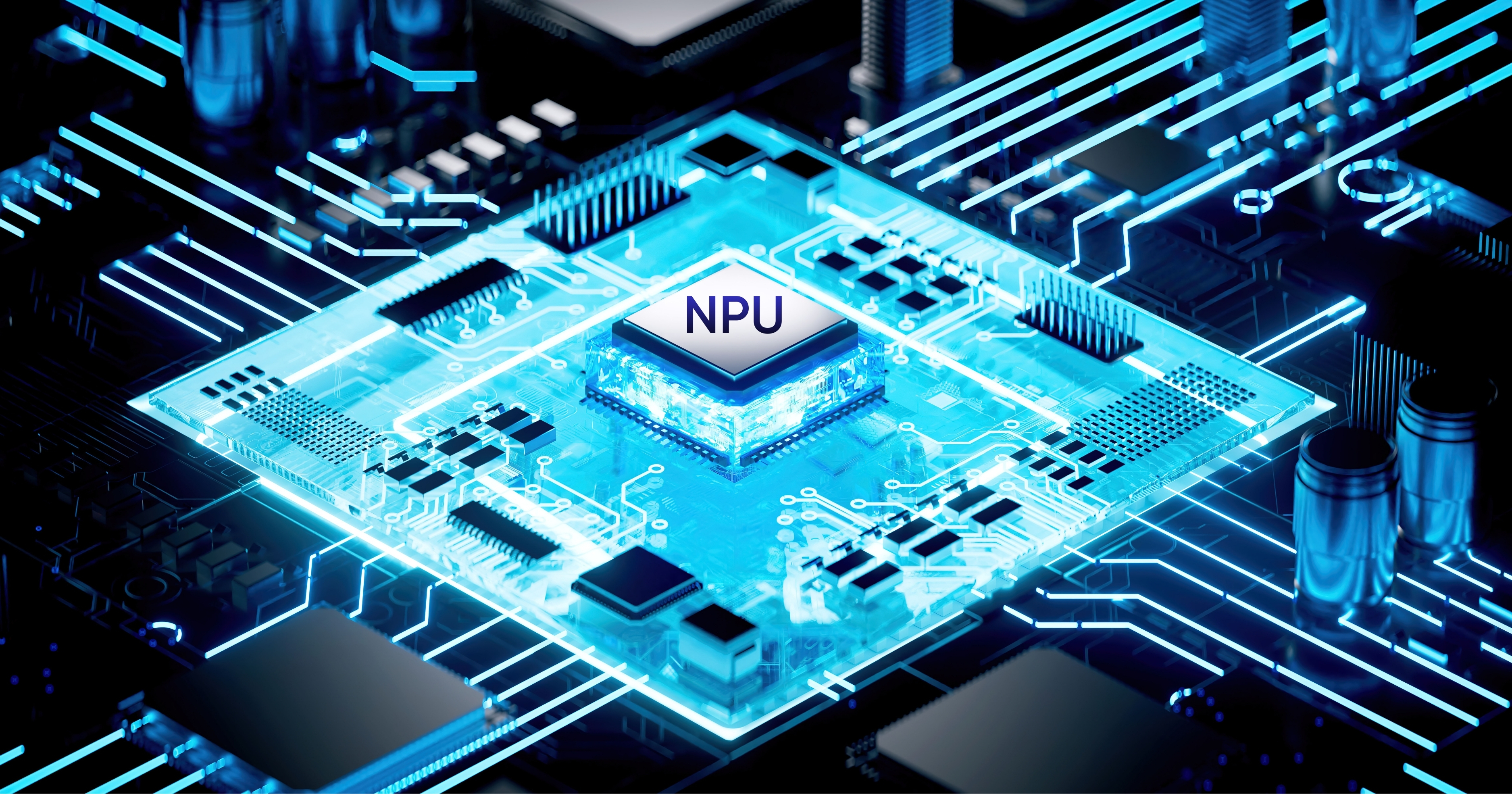
So, NPU is a specialised processor which is designed for artificial intelligence, especially deep learning, and neural network computations.
Unlike general-purpose chips, NPUs focus on matrix multiplications and convolutions, which are the math behind AI models. You can think of it as a brain for your device when it comes to AI inference (running pre-trained models) and sometimes light training.
However, the meaning of NPU has evolved since its inception in the 2010s. Some of the early versions came from companies like Google with its Tensor Processing Unit (TPU). But now, since AI is everywhere today, every major chipmaker has one:
- Apple’s Neural Engine in A-series and M-series chips
- Qualcomm’s Hexagon NPU in Snapdragon processors
- Intel’s NPU in Meteor Lake and Core Ultra CPUs
- AMD’s XDNA NPU in Ryzen AI chips
- MediaTek’s APU (AI Processing Unit), which is functionally an NPU
However, the reason why NPU is blowing up right now is because it’s extremely important for on-device AI features. As the NPU reduces cloud dependency, and it gives lower latency and improves privacy.
Why Do We Need NPUs Now?
Now, the question that might arise in anyone’s mind is, why do we even need NPU as we have had AI for a while, and ChatGPT runs on the cloud? So why do we need a special chip for it on our laptops and phones?
The answer is efficiency and privacy.
Before NPUs, if you had to run an AI task on your device, it had to run it on either a GPU or a CPU. And these chips consume a lot of battery power to do that math. For example, if you run an AI task on a CPU, then your laptop gets hot, and the battery dies in just two hours.
Thankfully, an NPU solves these specific problems:
- Battery Life: An NPU can run AI tasks using a fraction of the power a GPU would use. This means you can run AI features all day without killing your battery.
- Latency: If you use ChatGPT, you have to wait for your data to go to a server and come back. An NPU allows the AI to run locally on your device.
- Privacy: Since the NPU processes data on your laptop, your personal info doesn’t have to be sent to the cloud.
Here’s the evolution of NPUs as AI models and use cases have grown:
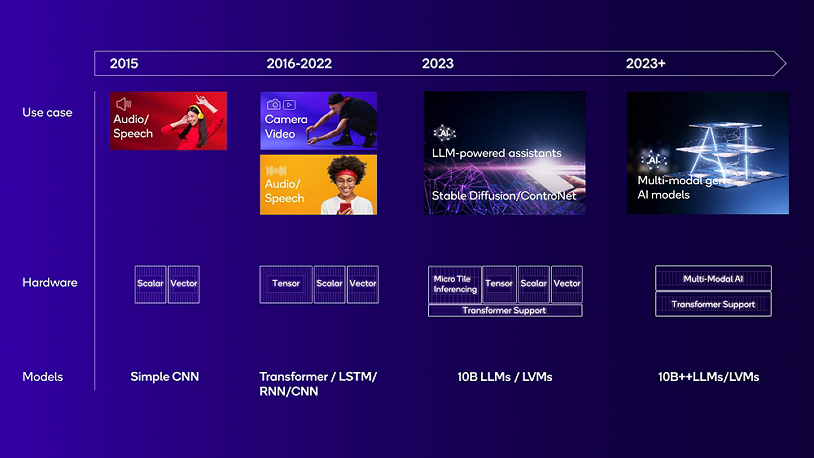
How Does an NPU Work?
NPUs handle neural network tasks through dedicated hardware blocks that process multi-dimensional arrays, like image pixels or audio signals, in parallel. These blocks specialize in key operations like matrix multiplications for connecting “neurons” and activations like ReLU or sigmoid to mimic decision-making in AI models.
The data flows through the NPU via a systolic array architecture, where a grid of processing cells passes numbers in a rhythmic, pipelined flow. This setup minimizes data movement and saves energy, allowing tasks like real-time photo enhancement to run without draining battery, as numbers crunch through the grid without constant reloading.
NPU Adoption Across Devices
- Smartphones: Reports indicates that over 89% of smartphones released in Q1 2025 feature dedicated AI hardware (NPUs), enabling features like real-time translation, advanced photography, and on-device privacy.
- Laptops & PCs: Microsoft’s Copilot+ PCs require at least 40 TOPS NPU performance, and devices like the Surface Laptop 7 use Qualcomm’s 45 TOPS NPU for Windows AI tools. Apple’s M4 chip in the iPad Pro delivers 38 TOPS, and AMD/Intel are competing closely in the laptop space.
- Automotive: NPUs are embedded in advanced driver assistance systems (ADAS) and autonomous vehicles, such as Nvidia’s Drive Orin, for real-time decision-making and sensor data processing.
- Desktops: NPUs are gradually appearing in desktops, with Intel’s Lunar Lake CPUs targeting 100 TOPS by 2025. Hybrid GPU-NPU designs are emerging for gaming and high-performance computing.
Future of Neural Processing Units
NPUs are all set to become even more powerful in the coming years, handling tougher AI jobs like real-time language translation or advanced photo editing right on your phone or laptop without slowing things down. They’ll get faster with better designs that squeeze more work out of less power, making everyday gadgets smarter while keeping batteries lasting longer.
Along with that, soon NPU will also start showing up in kitchen appliances, robots, and more. Which means in the coming time we will have AI on almost every electronic device.
FAQs
Yes, for everyday AI tasks, NPU is better, it’s faster and uses much less power. However, GPUs are still better for heavy AI training and graphics work.
A CPU runs general tasks. An NPU is built only for AI work like image processing or voice features, so it does those jobs quicker and with less battery drain.
No. AI can run without it. But for smooth, fast, and battery-friendly AI features on modern devices, an NPU helps a lot.
No. The CPU remains the main brain of the system. NPUs just handle specific AI tasks alongside the CPU and GPU.