In 2026, the definition of a “capable” laptop has shifted. For years, we focused only on the CPU and GPU. But now we are seeing many AI features integrating into our workflows that require an NPU (Neural Processing Unit) on your laptop. If your laptop lacks an NPU, you may find that new Windows updates and creative tools either run slowly or are disabled completely. Here is the checklist to see whether your current hardware is ready for the “AI PC” era.
What Actually Makes a Laptop an “AI PC”?
An AI PC is a computer equipped with a dedicated NPU to handle machine learning tasks locally. In 2026, this hardware is required for “Copilot+ PC” features. Unlike cloud-based AI, an NPU processes data on your device, which is faster, uses less battery, and keeps your data private.
AI-PC Checklist
You can verify your laptop’s AI capabilities in less than a minute using these three methods:
1. The Task Manager Check
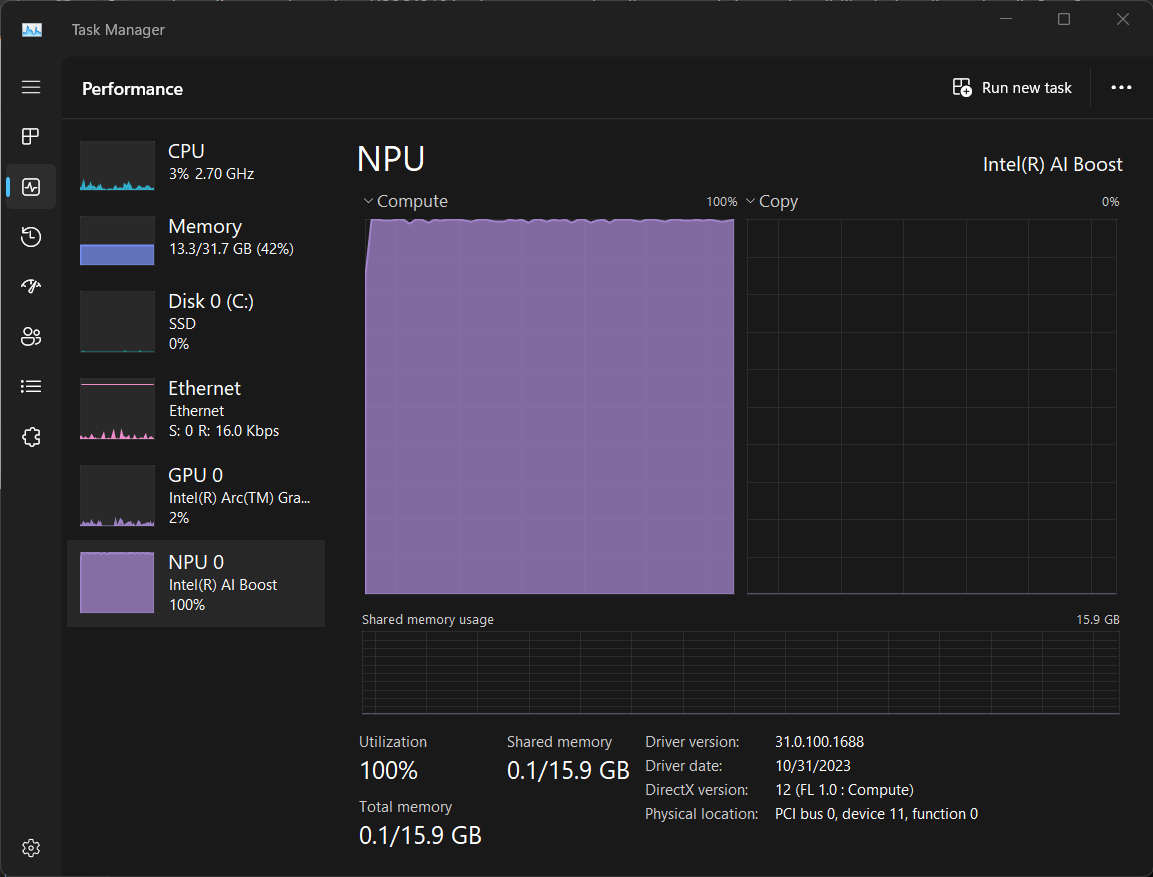
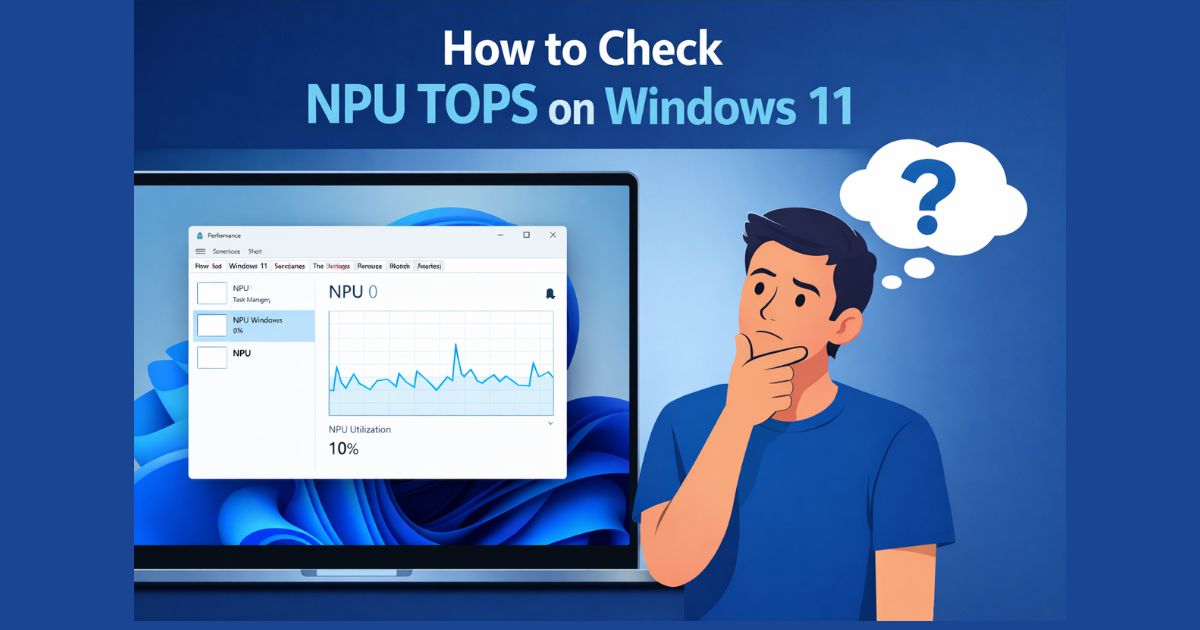
This is the most direct way to see if your system has the required hardware.
- Right-click the Start button and select Task Manager.
- Click on the Performance tab on the left sidebar.
- Look for a section labeled “NPU”.
- If you don’t have any “NPU” section listed alongside your CPU and GPU, your system lacks a dedicated AI chip.
2. Identify Your Processor Model
Not all NPUs are equal. Earlier versions from 2024 (like the original Intel Core Ultra “Series 1”) often featured NPUs with only 10–11 TOPS, which is below the 40 TOPS requirement for features by 2026 standards.
- Go to Settings > System > About.
- Look at the Processor name.
- AI Ready: Snapdragon X Elite/Plus, Intel Core Ultra 200V (Series 2) or newer, and AMD Ryzen AI 300 series or newer.
- Legacy: Standard Intel Core i5/i7/i9 or AMD Ryzen 5000/7000 series chips do not meet the 40 TOPS NPU standard.
3. The Physical “Copilot” Key
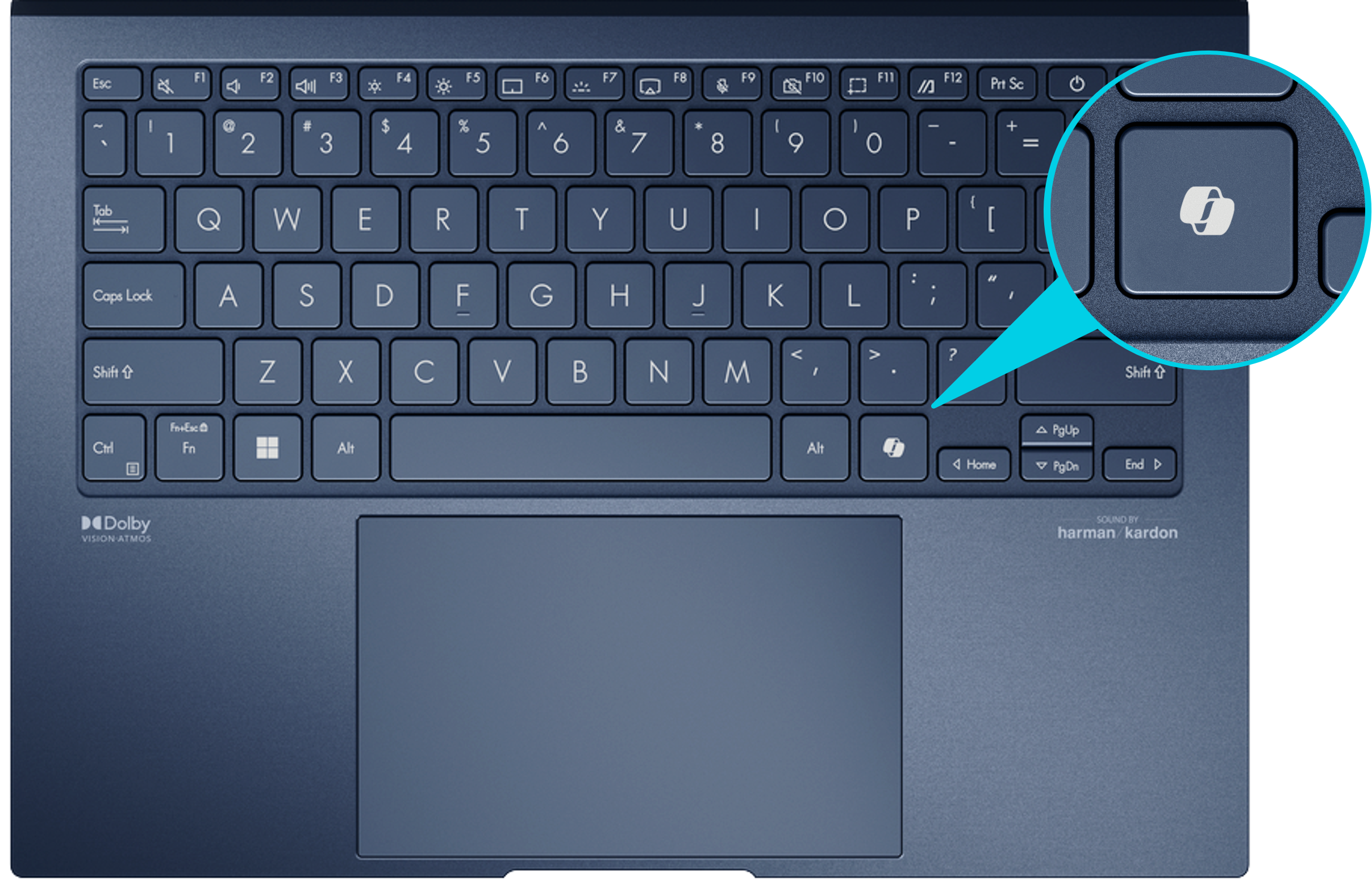
While not a technical requirement, most laptops manufactured in 2025 and 2026 specifically for AI integration comes with a dedicated Copilot key on the keyboard. If your laptop has this key, it was likely built to meet Microsoft’s AI hardware specifications.
FAQs
No. The NPU is physically integrated into the main processor (the SoC). Unlike RAM or storage, it cannot be added or upgraded later.
No. If you primarily use web-based AI like ChatGPT or Claude, your current laptop will work fine. An AI PC is only necessary for features that run locally on your hardware.
Yes. NPUs are much more efficient than CPUs at handling background tasks like noise cancellation or background blur during video calls, which helps extend battery life.