Running Qwen 2.5 on a 16GB laptop will crash unless you pick the right model size and format. The fix involves quantization and basic resource management, both of which are straightforward once you know what to do.
Why It Crashes?
A standard 14-billion parameter model needs over 28GB of memory to load. When your 16GB system runs out of RAM, the OS starts using your storage drive as overflow, a process called swapping. Storage drives are far slower than RAM, so the app freezes or shuts down.
Choose the Right Model Size
The 32B and 72B versions of Qwen 2.5 are not viable on a 16GB machine. Stick to the 7B or 14B parameter models in GGUF format with 4-bit quantization. Specifically, download the file tagged Q4_K_M.
A 4-bit quantized 14B model drops the memory requirement from 28GB to around 8GB, leaving enough headroom for your OS to operate without crashing.
- Target the 7B or 14B version of Qwen 2.5
- Only download GGUF-formatted files
- Select the 4-bit quantized variant
- Pick the file labeled Q4_K_M
Install a Local Inference Engine
Loading models through Python scripts adds memory overhead. Use a dedicated inference engine like Ollama or LM Studio instead, they handle resource allocation more efficiently.
- Download and install Ollama or LM Studio
- Launch the app and use the built-in search to find Qwen 2.5
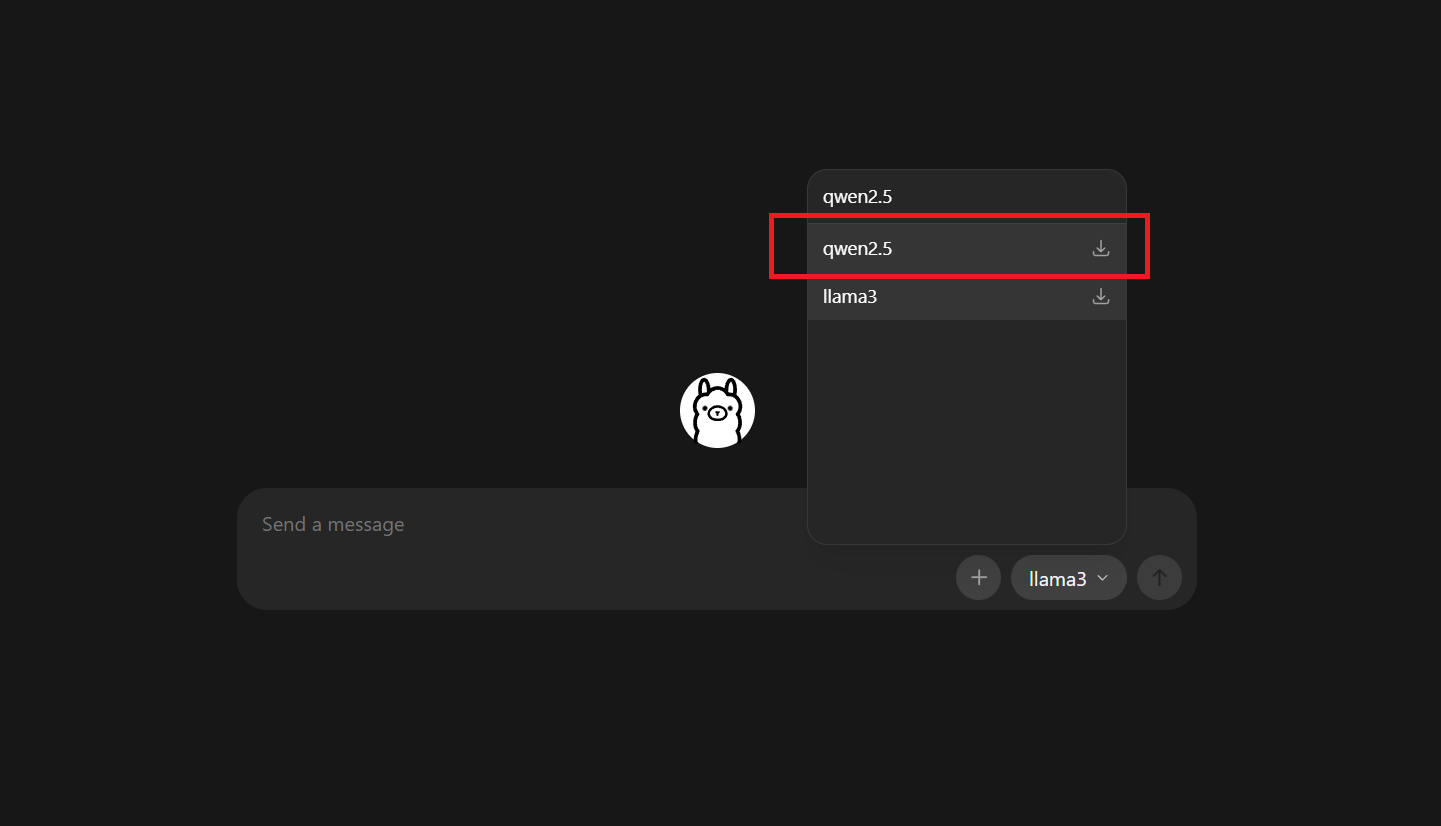
- Select the Q4 version of the 7B or 14B model
- Click download to pull the files to your local drive
FAQs
For most Qwen variants (for example, Qwen‑2/Qwen‑2.5 in 7B or 14B sizes), you can run them comfortably in 4‑bit quantization on a GPU with 8–12 GB of VRAM; 16 GB or more is recommended for smoother use at higher‑quality quantization or larger contexts.
Yes. Qwen‑3 is available in several sizes (0.6B, 4B, 8B, 14B, 30B, 32B, and 235B), and all of them can be run locally on a PC, laptop, or Mac using tools like Ollama, llama.cpp, or vLLM; the smaller variants (e.g., 0.6B–14B) can even run on consumer‑grade GPUs or even phones.
Yes. Qwen‑2.5 is widely used in research because it offers strong reasoning, multilingual support, and good performance for its size, while remaining relatively lightweight and easy to finetune or adapt in constrained compute environments.
QwQ‑32B (a 32‑billion‑parameter model from the Qwen family) can run at 4‑bit quantization on a GPU with around 12–16 GB of VRAM minimally, with 24 GB recommended for comfortable performance and longer contexts; at FP16 it would require roughly 80 GB of VRAM, so it is typically used in 4‑bit or lower quantized formats on consumer hardware.